Adrian loves to connect with other human beings and share his story. If you would like to connect directly with Adrian, it is as simple as installing an app or visiting a website to communicate with Adrian directly via email. There is a small cost associated with sending each message (about 25 cents). You can also provide Adrian with your phone number via JPay message and he will call you if desired. There is no cost to receive a call from an inmate in a Minnesota State Prison but calls are limited to 15 minutes. Below are the steps to create a JPay account and add Adrian as a contact.
If you plan to use your smartphone to communicate with Adrian, you need to install the JPAY app on your phone (or use the web browser, but the app is slightly easier to navigate on a phone). You can get this from either the Google Play store or the Apple App Store on your phone. Links:
Android: https://play.google.com/store/apps/details?id=com.brisk.jpay&hl=en
Apple: https://itunes.apple.com/us/app/jpay/id584959322?mt=8
If using a computer or you want to try without the App go to: https://jpay.com
Android: https://play.google.com/store/apps/details?id=com.brisk.jpay&hl=en
Apple: https://itunes.apple.com/us/app/jpay/id584959322?mt=8
If using a computer or you want to try without the App go to: https://jpay.com
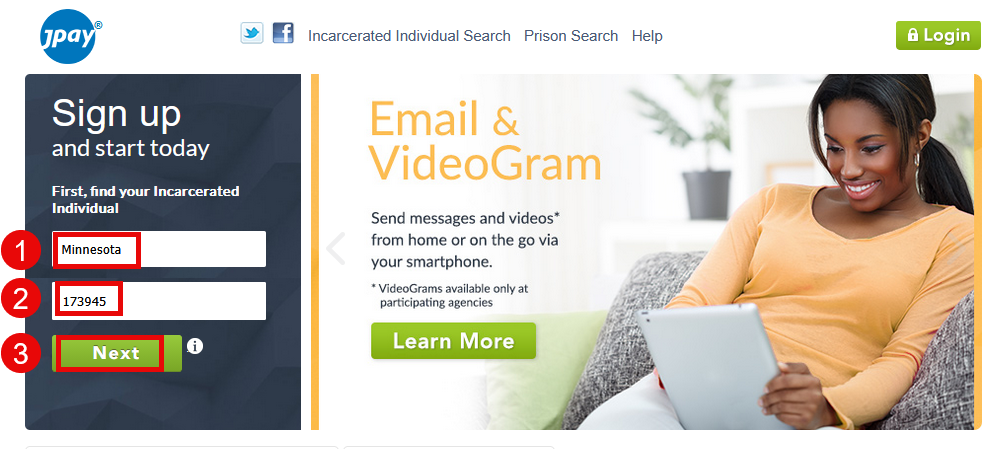
Once the app is installed or you are viewing JPAY.com you will create an account by searching for Adrian:
Select Minnesota from the Dropdown box.
Enter Adrian's MN DOC ID#: 173945
Enter Adrian's MN DOC ID#: 173945
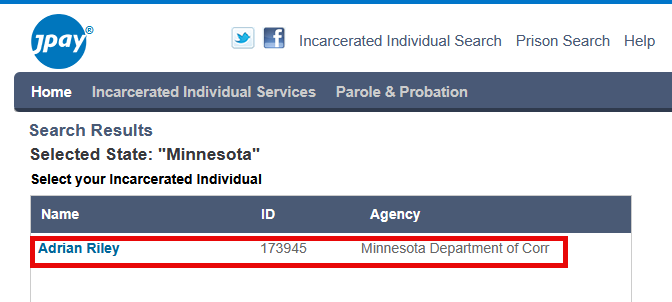
After clicking next, click anywhere in the line with Adrian's name to select Adrian as your contact.
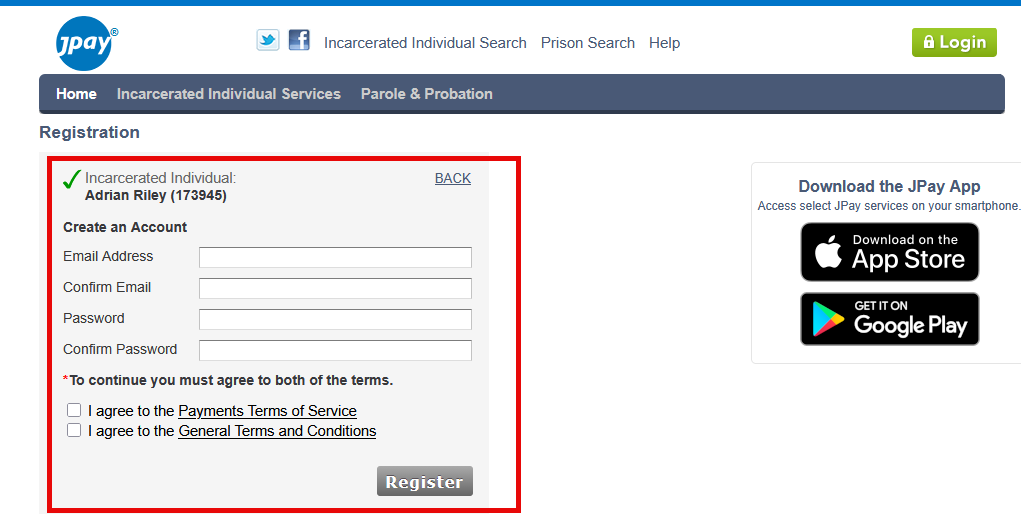
On the next page, fill in your contact information, agree to the terms, and register your account. This is only done the first time you communicate with Adrian. After this, you will instead click the "Login" link in the upper right corner of the website, or log in via the app on your phone and you will be able to see Adrian as a contact immediately without searching again.